New platform teaser

Work should not disappear between the field and the office.

We are building a platform for businesses with teams working on-site, on the road, in stores, across projects, and in client meetings. Platform job is simple: collect the real work, the real updates, the real proof, and the real follow-through in one connected place.

Site activity, visits, orders, meeting minutes, comments, uploads, images, documents, tracking, audit history, and project records should not live in separate systems, chats, and scattered folders. They should move together in one usable operational flow.
Visibility that means something Audit you can export Follow-through, not forgotten tasks Multi-tenant control
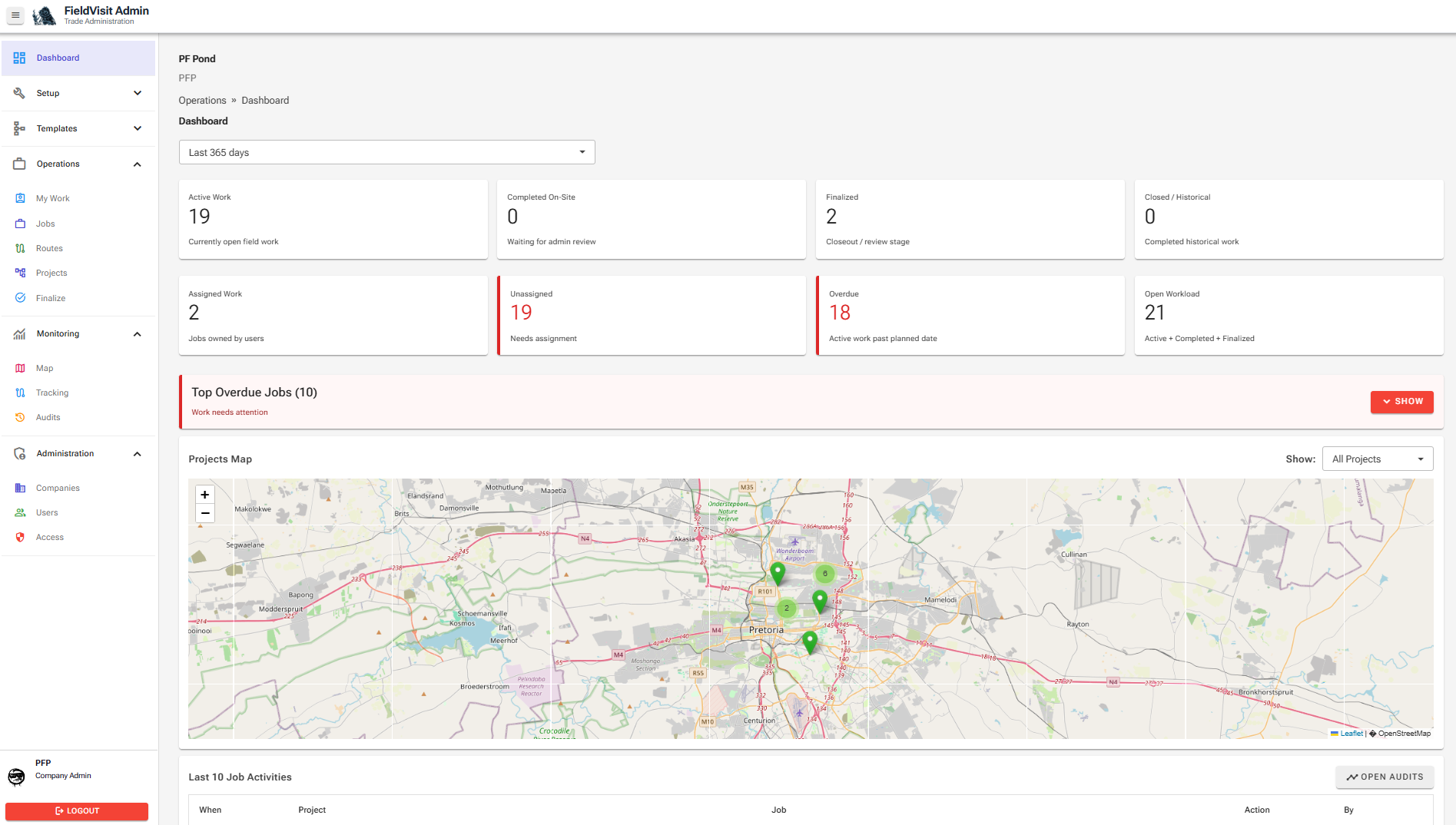
Dashboard view of the platform showing projects map, jobs, users, devices, and recent activity.
Dashboard Visibility Follow-through
One command view for real-world work.
Projects, jobs, devices, map visibility, and recent activity in one operational view.

Why this matters

Businesses usually do not lose value because work never starts. They lose value because the truth of what happened never comes back clearly enough to act on.

Construction, trade, service, and maintenance teams Work gets done, but the progress trail, material requests, proof of work, images, comments, and final handover record are incomplete or hard to assemble.
Retail, FMCG, and rep teams Visits happen, but shelf feedback, stock requests, orders, and opportunities are still spread across notes, messages, and memory.
Corporate and client-facing teams Meetings happen, but the outcomes, next steps, quote inputs, opportunity stage, and full context are not captured properly enough to drive action.

How the platform is structured

Start simple, then grow into structure. Register, create your tenant, add companies, configure the way each team works, and start operating.

Whiteboard diagram showing Register, Tenant Created, Add Companies, Configure Operations, and Start Work.
Simple to start. Structured as you grow.

Where work actually gets done

JobTask gives management the full view. MyWork gives each team member the daily focus. Overdue and unassigned work stands out before it becomes a problem.
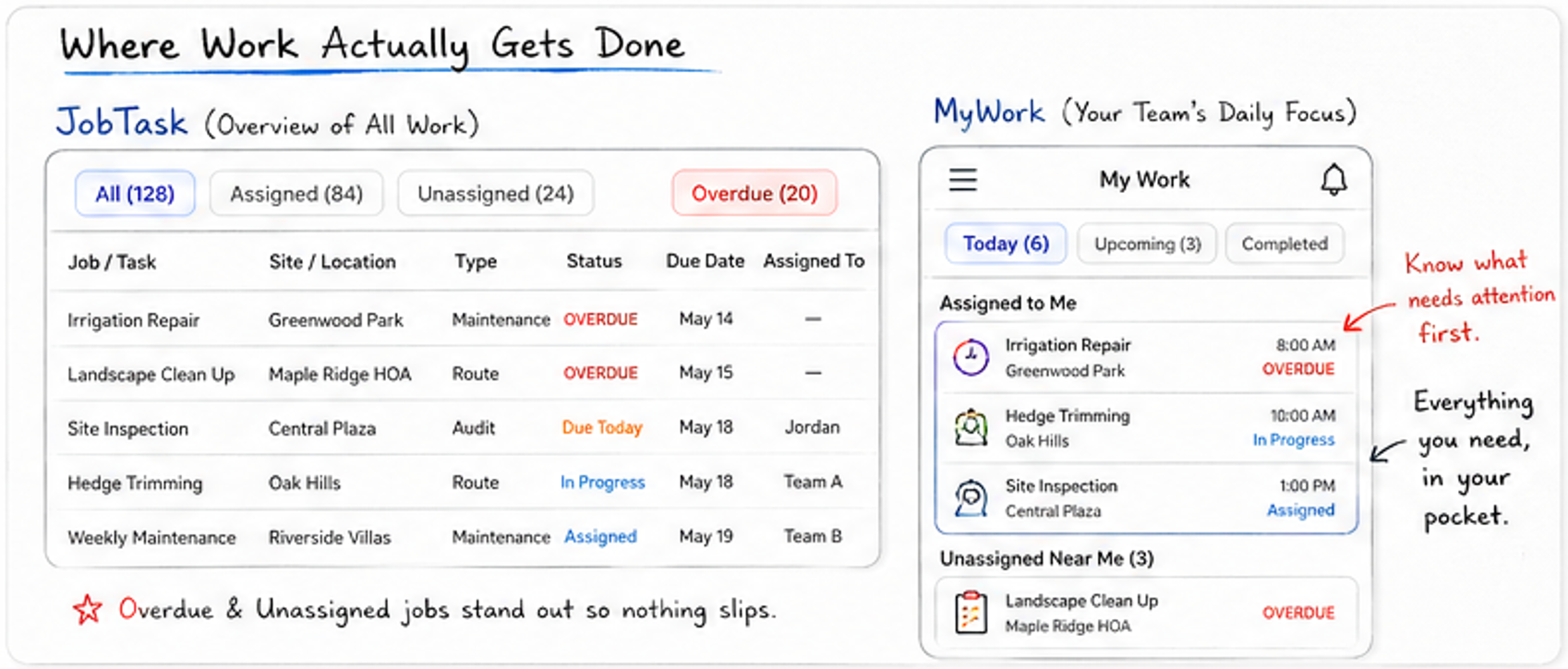
Whiteboard diagram showing JobTask overview and MyWork daily focus.
Everything your team needs, in one place.

Built for different types of work

Use one module, or combine Trade, Route/Rep, and Corporate Rep into one connected operating model.
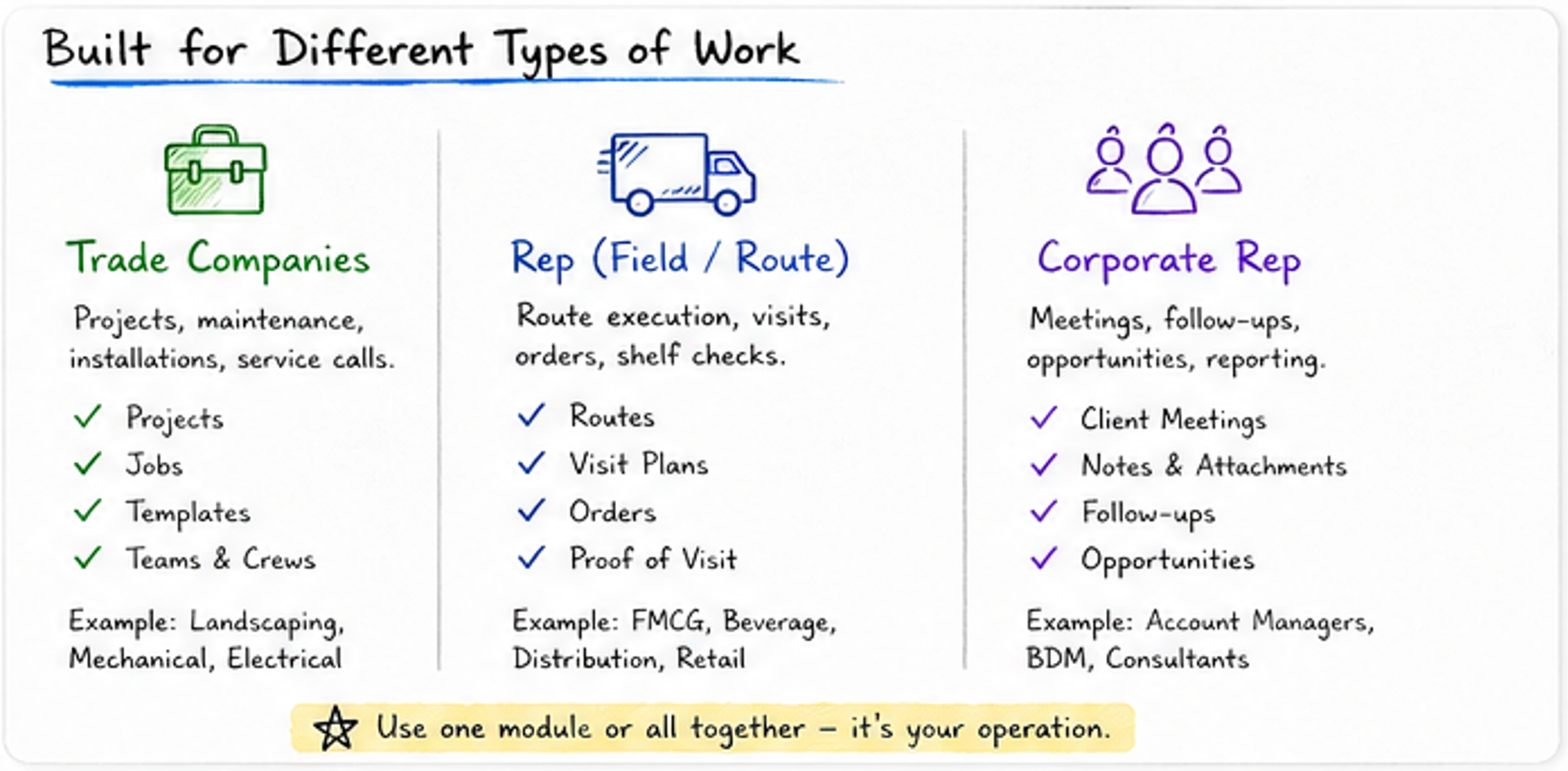
Whiteboard diagram explaining Trade Companies, Rep Field Route, and Corporate Rep work types.
One platform. Multiple ways of working. Fully connected.

Communication stays close to the work

Field teams, office staff, managers, and project users should not lose decisions in calls, WhatsApp threads, or scattered messages. In-app communication keeps conversations, updates, photos, files, questions, and approvals tied to the actual work context.
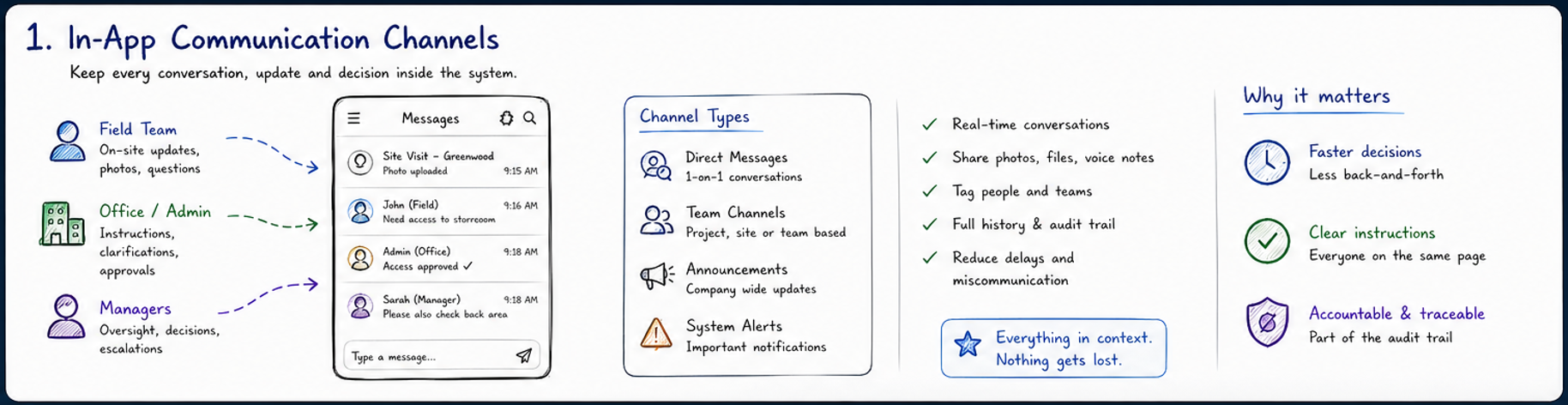
Whiteboard diagram showing in-app communication channels for field teams, office admin and managers.
Everything in context. Nothing gets lost.

Ordering and stock management built into the flow

Orders are not only for FMCG. They support maintenance parts, service items, stock requests, client orders, supplier follow-ups, procurement handover, monthly order visibility, and invoicing control.
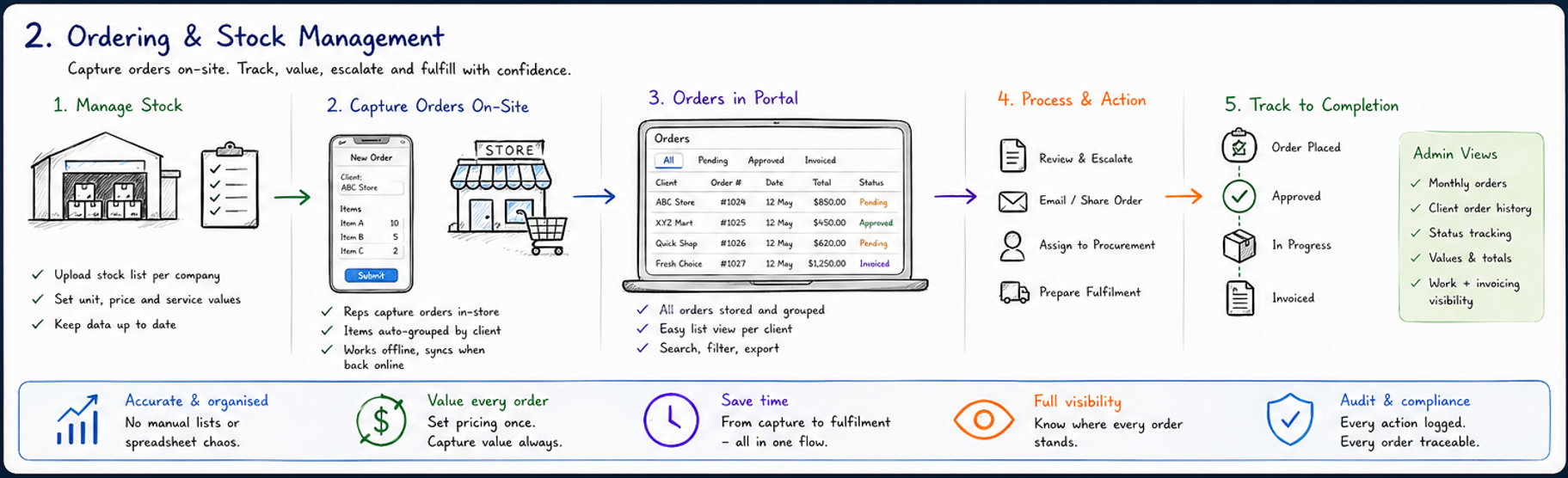
Whiteboard diagram showing ordering and stock management from stock upload to order capture, portal review, procurement and completion.
From maintenance quotes to in-store FMCG orders — capture value where the work happens.

Two essentials across all operations

Communication and ordering power almost every workflow: site maintenance, rep visits, client meetings, procurement, project follow-through, and invoice-ready work records.
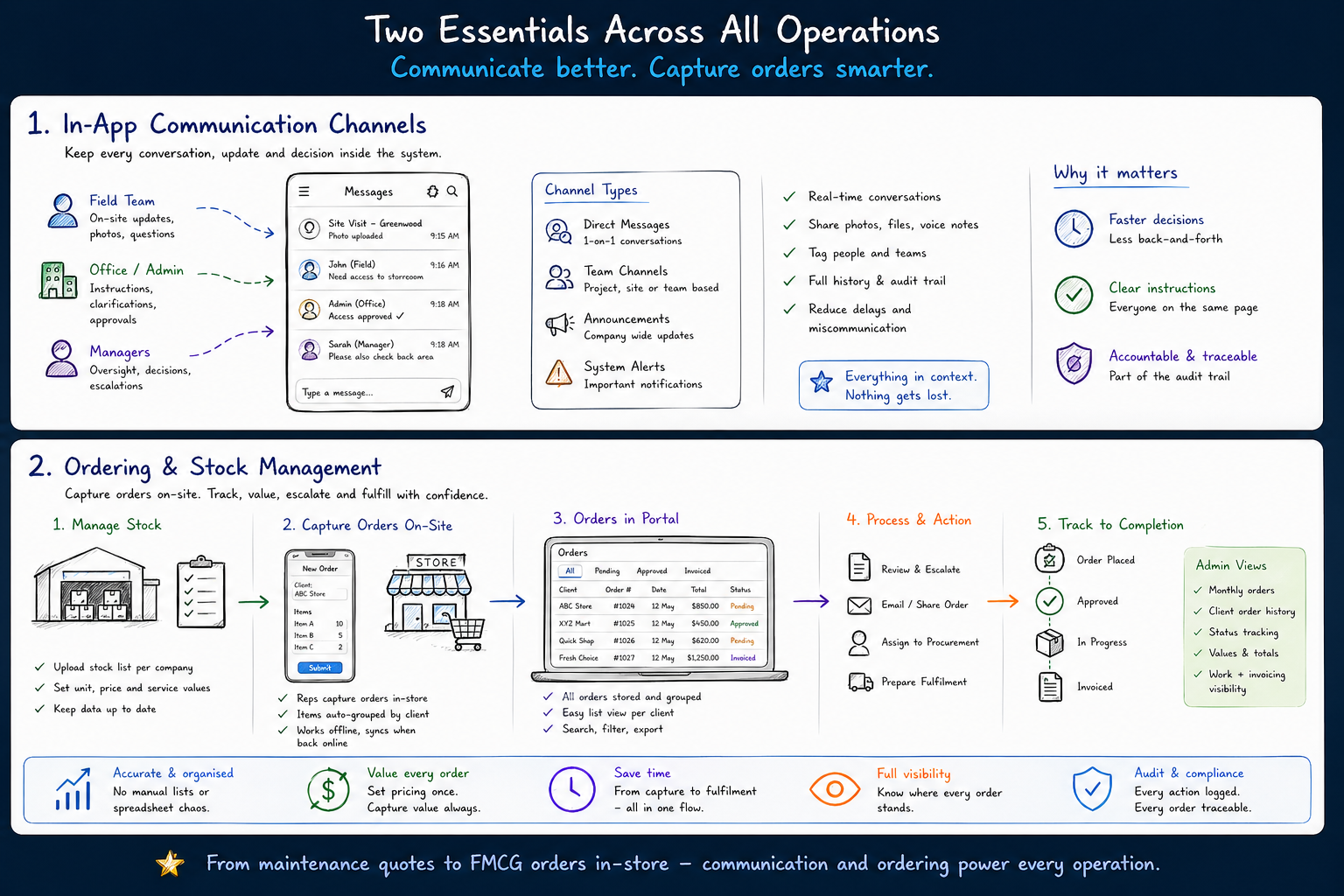
Whiteboard summary showing communication and ordering as key operational pillars.
Communicate better. Capture orders smarter.

Real-world scenarios

The platform becomes stronger when teams work differently, but still need one shared record of sites, contacts, notes, photos, history, and follow-through.
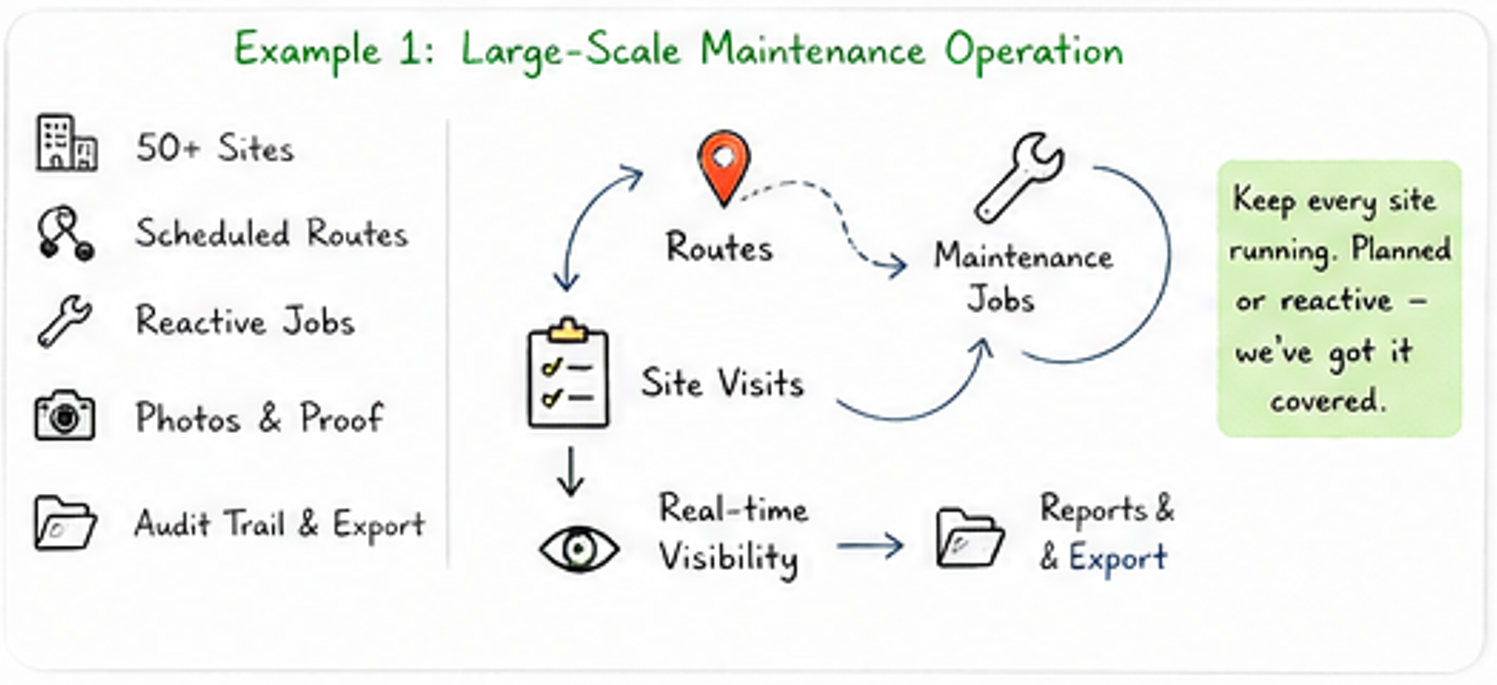
Whiteboard example of a large scale maintenance operation.
Large-scale maintenance: routes, reactive jobs, proof, audit, and export.
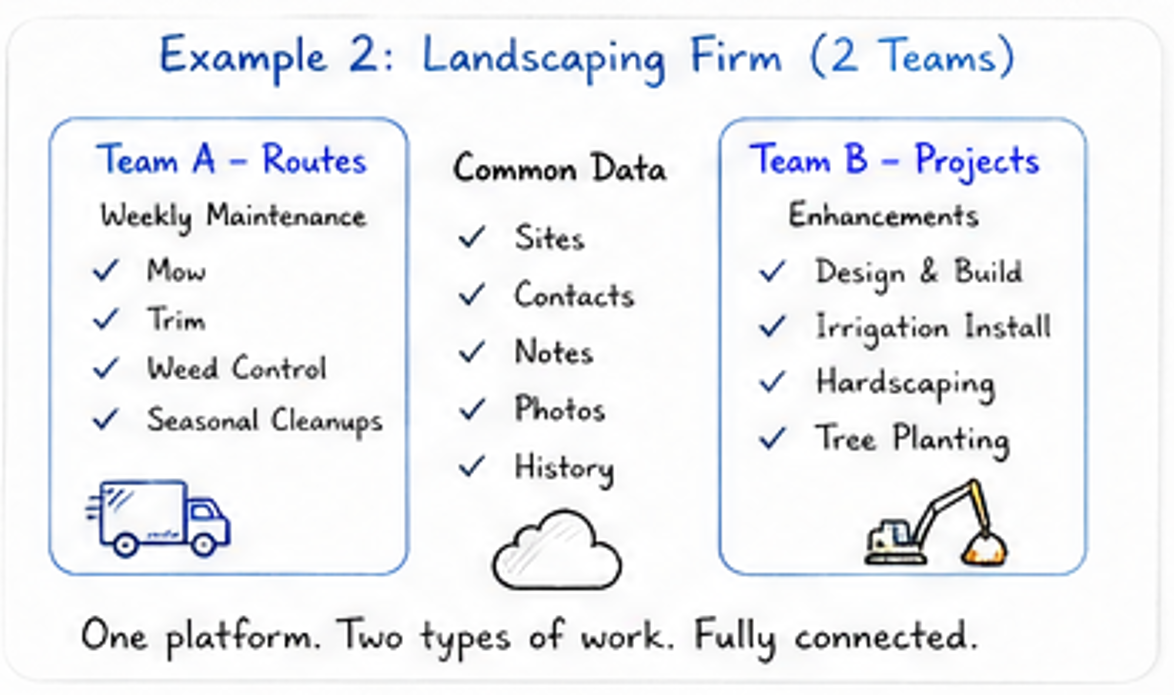
Whiteboard example of a landscaping firm with route and project teams.
Landscaping: one team handles routes, another handles projects.
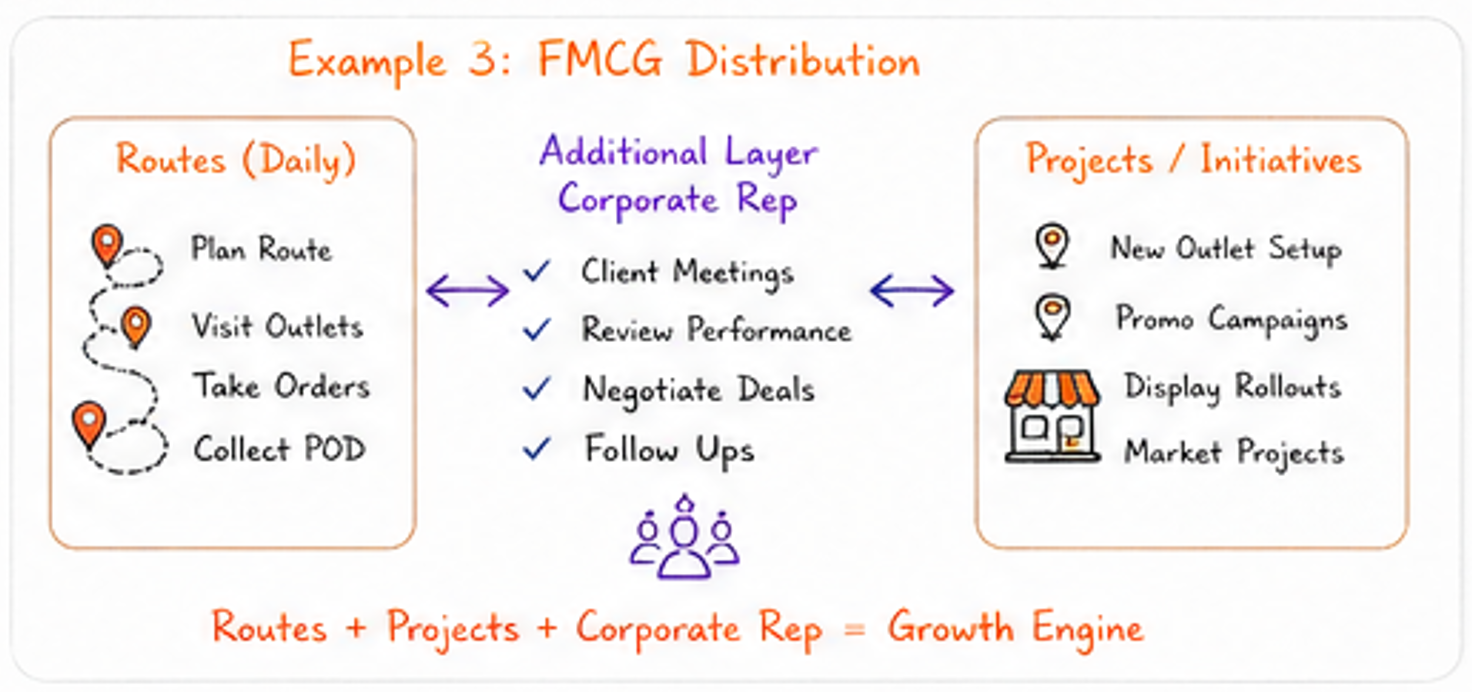
Whiteboard example of FMCG distribution with routes, corporate rep and projects.
FMCG: routes capture activity, corporate rep captures opportunity.

Start simple. Scale into structure. Stay in control.

From one team to multi-company operations, the platform is designed to grow with the business without forcing complexity too early.

Whiteboard strip showing affordable to start, scales with you, stay in control.

The product story

This is not just another dashboard. The value is in what gets connected: visibility, updates, tracking, uploads, comments, attachments, orders, and audit history — all tied back to the actual work.

1. Command view

See the company, the work, the people, and the movement in one place.

The platform starts with operational visibility. Projects, jobs, users, devices, and live map context come together in one view so management can stop guessing and start seeing.
Strong for business owners, operational managers, and growing teams that need one clear picture across the company.
  • Company-level operational dashboard
  • Live project and location visibility
  • Recent activity and work trail
  • Map-driven awareness of field execution
Main company dashboard showing projects, jobs, devices and map visibility.
Projects map Company view Operational control
Visibility first.
You can see activity, map spread, project counts, device use, and recent work from one screen.
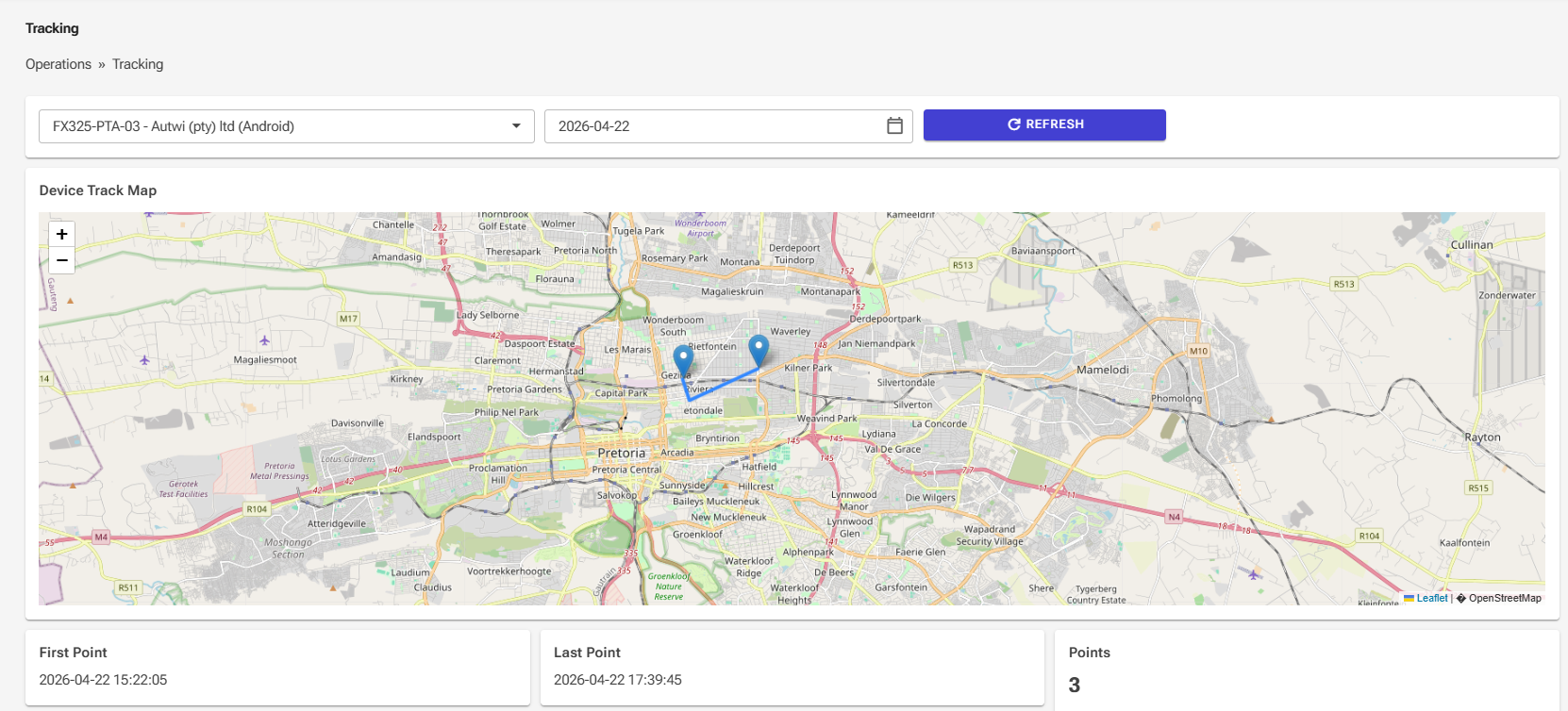
Device tracking page showing movement and route points on a map.
Tracking Real-world movement Proof of activity
Know where work happened.
Track devices, routes, and field movement to add context and accountability to operational work.
2. Field visibility

See movement, route history, and field activity with real-world context.

For teams on the road or across sites, visibility is not a luxury. It is how you understand effort, confirm visits, support operations, and reduce ambiguity.

  • Device and field staff tracking
  • Route path and point history
  • Better context around visits and updates
  • More confidence in what actually happened
3. Structured execution

Turn work into a structured flow instead of a pile of loose updates.

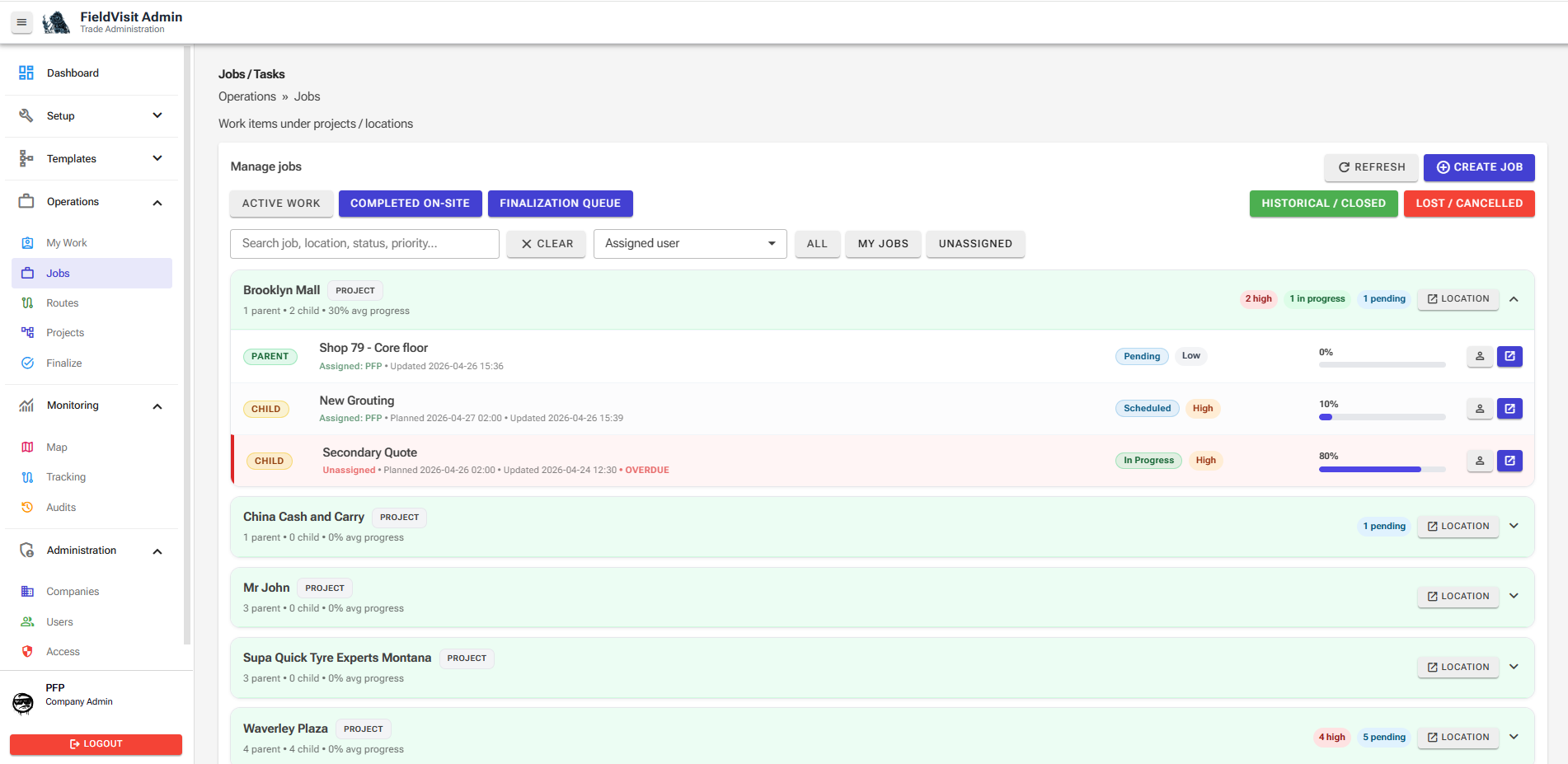
The platform is built to manage real work execution not just flat task lists. Parent and child work, project-linked activity, route jobs, and work actions stay connected to the correct location and context.
  • Project and location-based work structure
  • Parent / child job relationships
  • Work actions, notes, uploads, and lifecycle progress
  • Fewer missed dependencies and clearer status
Jobs and tasks page showing structured project work and parent child jobs.
Jobs / tasks Structured work Project-linked
Execution with structure.
Keep related work grouped, visible, and easy to manage across projects and locations.
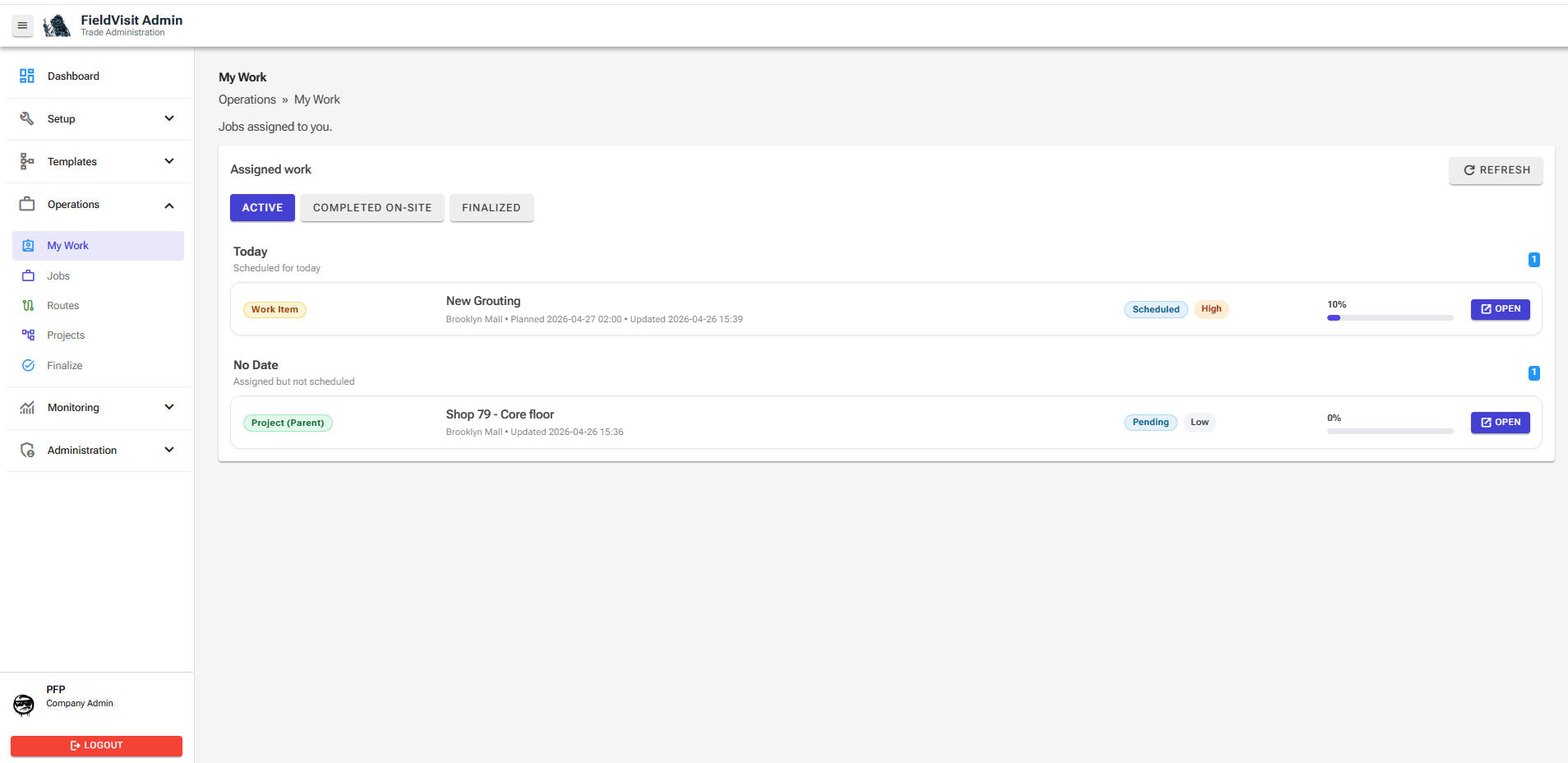
My Work page showing daily assigned, overdue, and unassigned work.
My Work Daily focus Overdue visibility
The daily work view.
Assigned work, unassigned gaps, overdue tasks, and team focus in one place.
4. My Work

Give every team member a clear view of what needs attention now.

My Work is the daily execution view. It helps field users and internal teams see assigned work, upcoming work, overdue items, and unassigned tasks without digging through the full system.
Overdue and unassigned work stands out early — before it becomes a missed job, unhappy client, or forgotten follow-up.
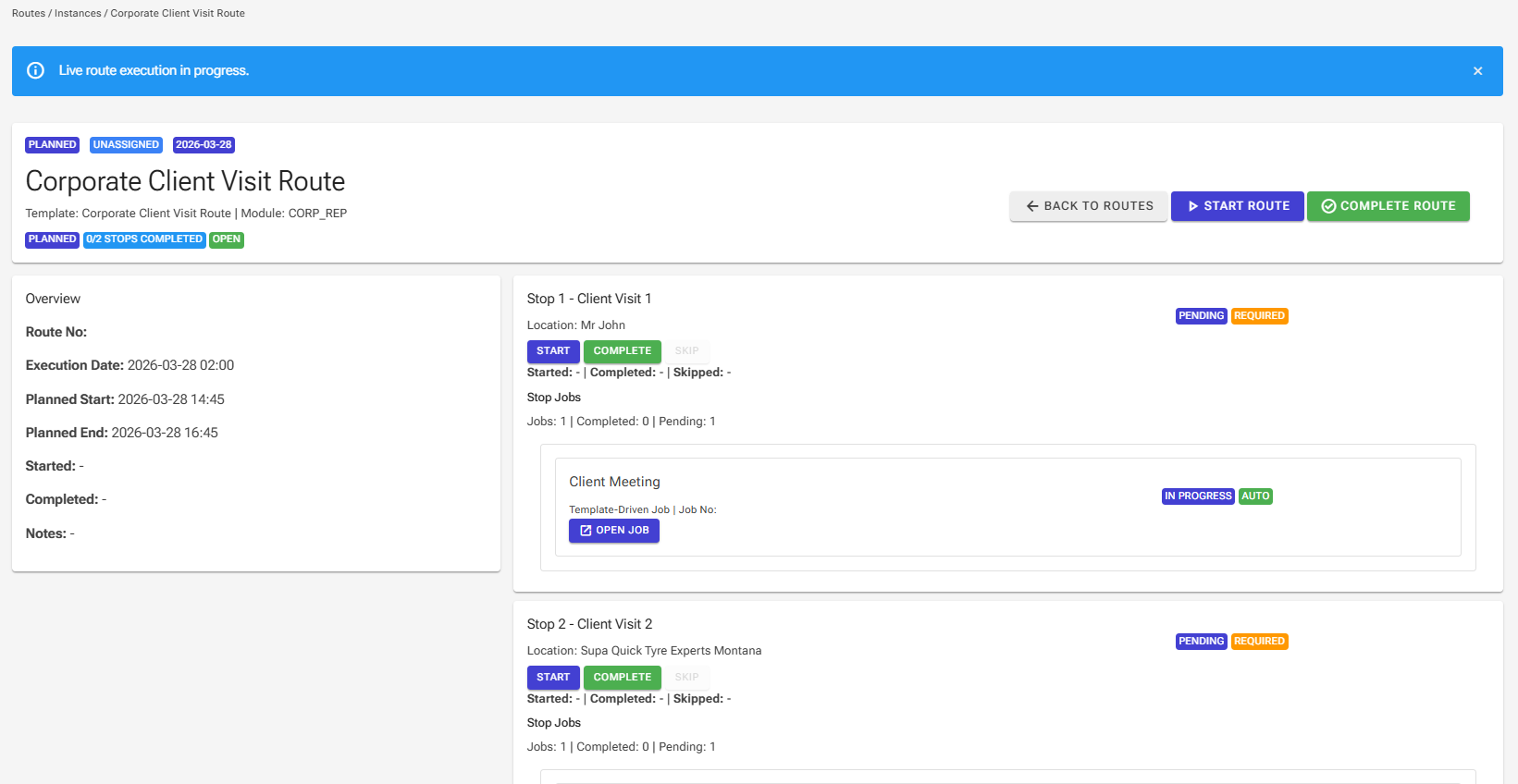
Live route page showing a corporate client visit route with stop execution and jobs.
Routes Visits Follow-through
Visits become actionable records.
A route can carry locations, required stops, linked work, and visit outcomes in one guided flow.
5. Visits, reps, and client activity

Capture the full visit, not just a checkbox that says it happened.

This is where rep work, site visits, and client-facing activity become powerful. Each visit can hold comments, job actions, meeting notes, follow-ups, attachments, and order-related context.

Strong for FMCG visits, recurring service rounds, corporate meetings, inspections, and multi-stop field journeys.
6. Audit + visibility + follow-through

This is one of the strongest parts of the platform.

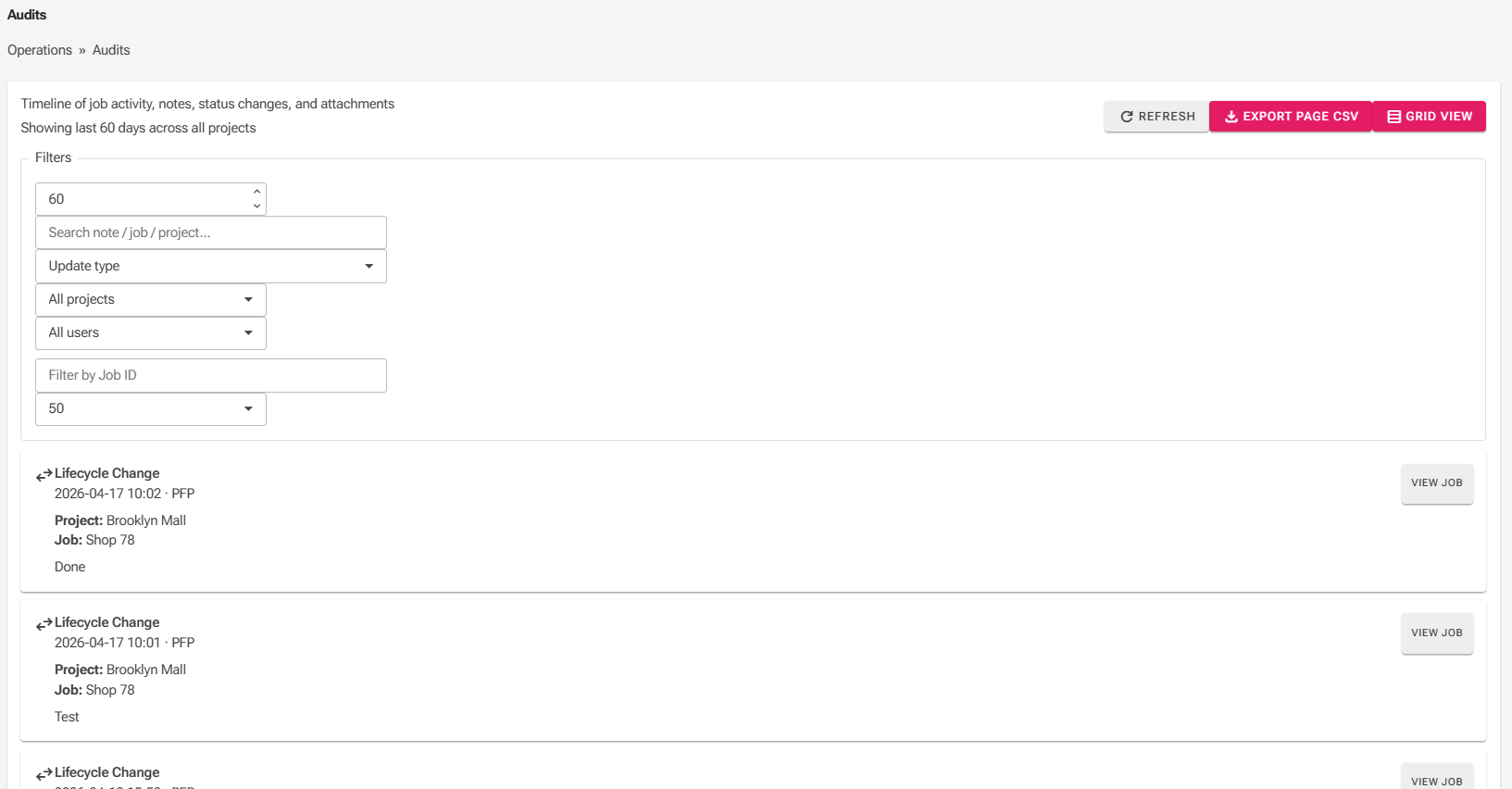
The system is built to keep the history of work usable. Notes, status changes, uploads, attachments, images, job actions, comments, and user activity stay tied to the work item, project, route, or location.
  • Timeline and grid audit views
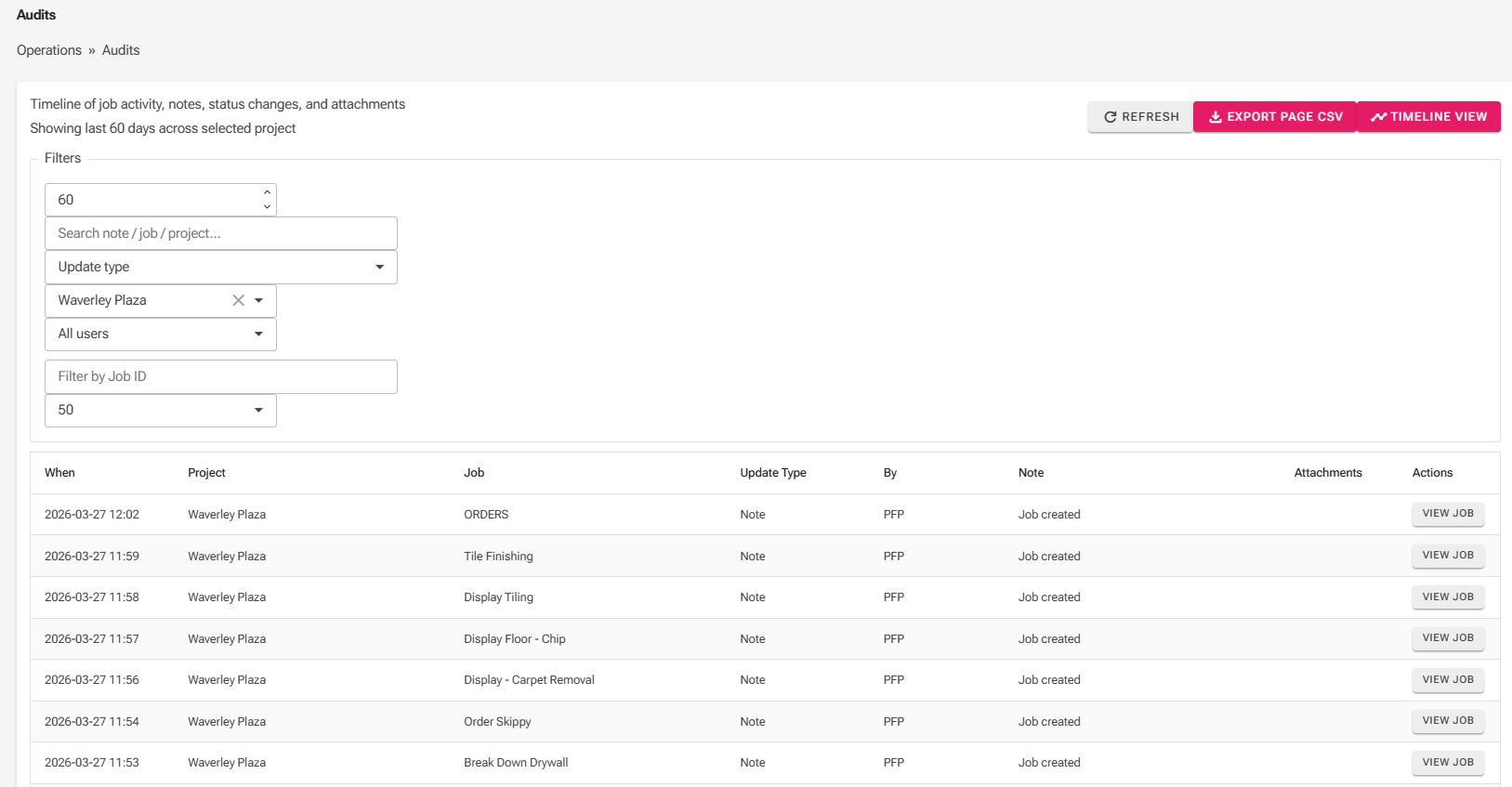
  • Search, filters, and user/project context
  • Better accountability across teams
  • Much easier handover, review, and support
The value is not just that the data exists. The value is that the history remains visible, searchable, and exportable.
Audit timeline view showing lifecycle changes and work history.
Timeline audit Accountability
Readable work history.
Audit grid view showing project, job, update type and actions.
Grid audit Operational review
Filterable audit trail.

More than an export. A full project folder you can hand over with confidence.

We are pushing toward full project and work-folder export capability, a usable pack of audit trail, comments, uploaded files, slips, images, documents, order records, and supporting history tied to the work.
Planned export direction

  • Project-level audit history
  • Work comments and status trail
  • Uploads, slips, images, and documents
  • Order records and supporting notes
  • Structured handover or client record pack

Why this matters commercially

  • Stronger proof for completed work
  • Better client confidence and transparency
  • Reduced time collecting evidence after the fact
  • Better support for disputes, reviews, and handovers
  • Clearer operational memory across the business
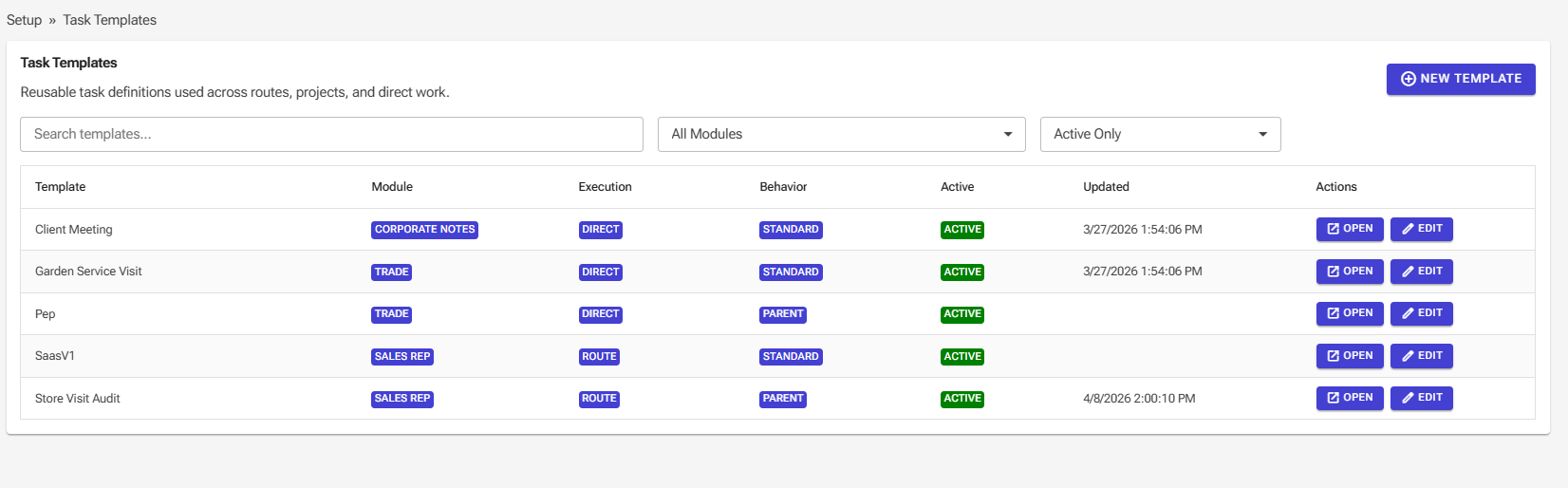
Task templates page showing reusable templates across modules and execution types.
Templates Standardisation Scale
Repeatable quality.
Reusable templates help teams capture work consistently across projects, routes, and direct execution.
6. Standardisation

Good operations need repeatable structure, not just good intentions.

Templates and reusable setup help businesses turn repeat work into a standard operating flow. That means clearer capture, cleaner execution, easier onboarding, and less inconsistency between teams.

Built to grow with the business

The platform is being shaped to support multiple companies, controlled access, and cleaner administration as the product grows.

Multi-tenant ready

Manage multiple client organisations and company contexts from one product foundation.

Managed access

Support different user roles, company access, and operational visibility aligned to responsibility.

Operational separation

Keep each company clean while still supporting central oversight where required.

Future product growth

Designed to grow into a standalone product with its own brand, domains, and wider rollout later.

Planned capability highlights

The product direction is practical: keep communication, ordering, proof, audit, and follow-through close to the work.

In-app communication

Direct messages, team channels, announcements, alerts, photos, files, and work-linked conversation history.

Ordering and stock flow

Upload stock lists, set item or service values, capture orders on-site, group orders by client, and track them through the portal.

Procurement and invoicing visibility

Escalate, email, assign to procurement, track monthly orders, and keep work value visible through completion and invoicing.

× Expanded product visual